|
|||||||||||||||
|
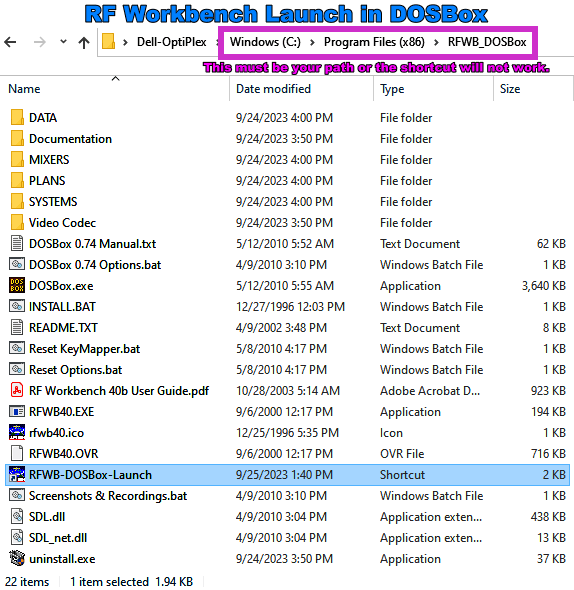
These are all the files in the RFWB_DOSBox [unzip into Program Files (x86) folder].zip file. Unzip the entire folder into your "Windows\Program Files (x86)" folder. Double-click on the RFWB−DOSBox−Launch shortcut link (.lnk) shown highlighted above. Here is the DOSBox webpage.
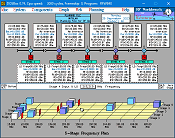
Quick Tips: * Close menus and dialog boxes with ESC or right-click mouse. I created RF Workbench back in the early 1990s, before Windows dominated personal computers. Over about two years of coding every night and weekend, I alone wrote every line of Turbo Pascal code. It included features not found in the vast majority of DOS programs, including a fully graphical user interface, drop-down menus, movable windows, extensive error trapping, 3-D graphs, and detailed Help screens. I even wrote the mouse and printer drivers because none were available to me at the time (dial-up bulletin boards were the only resources then - no Internet). My printer driver created true pixel-type outputs even on an old non-graphical pin printer. Please download the new combination RF Workbook + DOSBox file set to see how far in front of the technology I was back in the day. Alas, Windows became the standard by around 1995, and even though 16-bit programs would run in 32-bit Windows, people had moved on from DOS software. Now, the 64-bit version of Windows won't even run a 16-bit program - except within a DOS emulator. That is exactly what DOSBox is, and it does a fine job. Many times over the succeeding decades I have started work on porting the DOS code into Windows, but just don't have the time. Teaching an old dog new tricks is famously hard, and now this old dog is 65 years old, so it will probably never get done. That's why I have been looking for a way to resurrect RF Workbench so its unique features can be enjoyed by everyone. A list of capabilities is shown below.
System Requirements: 80386, 2 MB RAM, 1 MB Hard Disk, VGA Color Monitor, Mouse, Ability to run native 16-bit source code OR you can use DOSBox emulator (see below - very simple) in 64-bit Windows 10.
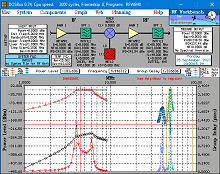
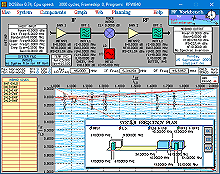
System Screen Spur Web© Screen Planning Screen
Here is an announcement for Tx/Rx Designer (the original for-sale name of the RF Workbench Shareware) in the August 1995 issue of the ARRL's QST magazine. RF Workbench was originally copyrighted with the USPTO under the name Tx/Rx Designer on 11/28/1994. The "Spur Web" moniker is part of the copyright. Click here for FAQ about RF Workbench Click here if you are experiencing installation problems Click here for example files referenced in the Manual
Note: RF Workbench WILL NOT run in any 64-bit version of Windows without an emulator! If you do not use the above method for launching the program, you can still do it the hard way. Fortunately, DOSBox (free) will allow a DOS screen capture of any RF Workbench screen! It also fixes "The NTVDM CPU has encountered an illegal instruction," errors. When unzipping "rfwb40b.zip", be sure to select the option to re-create the subdirectories.; Thanks to Mr. Ted Bruce for discovering this method! Click Here for DOSBox Instructions.
RF Workbench is included in many collections of engineering software, including the Engineering 2000 CD See where RF Workbench (formerly TxRx Designer) is credited here in an article by Harold H. Kinley, C.E.T.
Posted September 25, 2023 |
|||||||||||||||