|
Please go to the
RF Cascade Workbook 2018™
webpage for features and purchasing information.
Thank you.
Using advanced features of MS Excel, extensive cascade
analysis of RF component parameters is performed. Noise power analysis, min/max
tolerances, complete graphing of all parameters, and auxiliary pop-up calculators
makes RF Cascade Workbook 2002 a tool you cannot afford to be without. Drop down
menu navigation and error trapping on all inputs enhances the interface.
New features:
- This workbook is totally unlocked for easy access to formulas and VBA code
- Up to 50 components allowed. Display or hide component rows
in groups of 5 using the Setup page. Hidden components are still included in cascade
calculations.
- Graphs automatically display only only unhidden components.
- "-User-" page for custom formula cells. Create formulas that reference any cell
in the rest of the workbook using standard Excel functions.
- Version 1.02c has had it's equation references modified to match those used
in RF Cascade Workbook
2003. The changes are minor, but you might want the upgrade anyway.
- If you purchase RFCW2002 new, the User's Manual for RFCW2003 will be included
at no charge (PDF format - no hard copy).
Click here for dynamic range calculation
details and other FAQs.
A summary of features
and a few screen shots are listed in the table below.
Setup Page
- Select which components rows to display or hide.
Title Page
- Workbook title & subtitle entered here is placed
at the top of all pages.
- Description of project.
Nominal Page
- Set system reference temperature & frequency
units.
- Enter nominal system component parameters, i.e.,
gain, NF, IP2, IP3, Psat, VSWR.
- Instantly see results of changes in extensive tabulated
format.
- Open dialog box to calculate opamp noise figure.
- Open dialog box to convert VSWR to return loss.
- Open dialog box to convert input parameters to
output parameters.
- Rows 26 through 49 hidden.
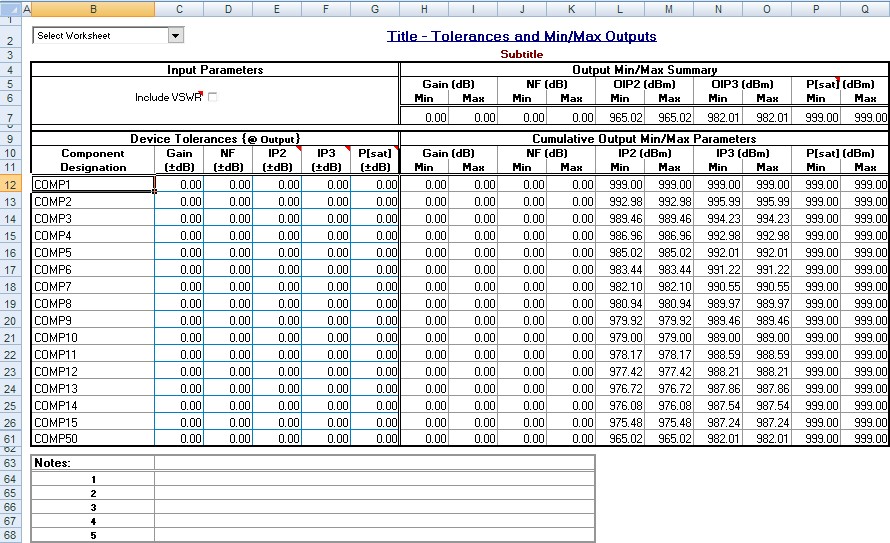
Min-Max Pages
- Set component min-max parameter variations.
- Instantly see results of changes for worst case
scenario in extensive tabulated format.
- Turn on/off VSWR interaction effects.
- Rows 26 through 49 hidden.
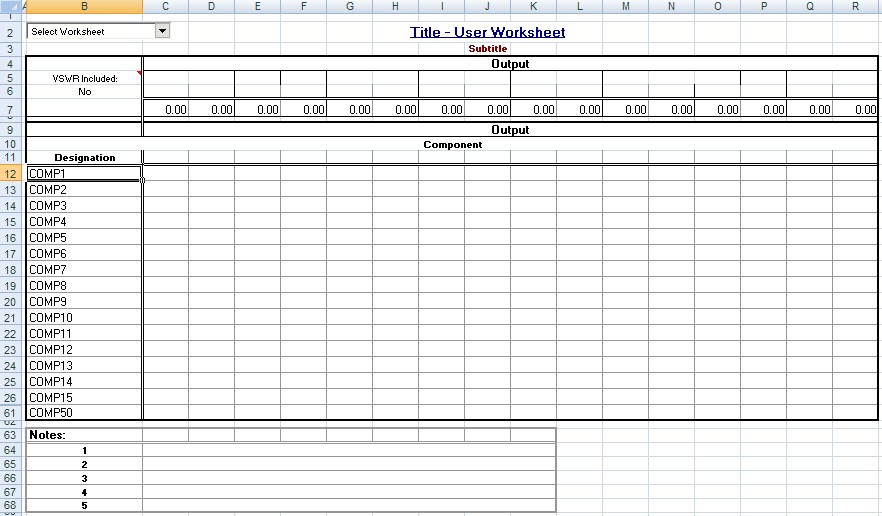
-User-
- Full, unlocked page for creating custom formula cells - reference other page
cells.
- Rows 26 through 49 hidden.
Graph Pages
- Complete min/nom/max parameter plots on a stage-by-stage
basis.
- Customize graphs.
- Graphs automatically adjust to display only unhidden components.
- Separated into 3 pages.
- Rows 26 through 49 hidden.
Notes
- Add your project-specific notes.
|



 |
|