RF Cascade Workbook© 2005 User's Guide - Chapter 9 |
|||||||
|
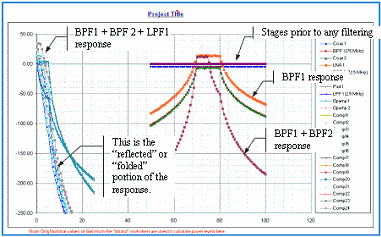
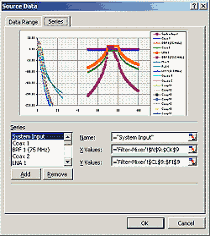
Chapter 1, 2, 3, 4, 5, 6, 7, 8, 9, 10, 11, 12, 13 Version 1.11 by Kirt Blattenberger RF Cafe Website Chapter 9 9 Filter-Mixer Plots By default, all 24 stages are plotted on the “Mixer-LO Plot” worksheet, as shown in Figure 16. Unused stages can easily be removed by right-clicking in the plot area and selecting the “Source Data…” option. The resulting dialog window is shown in Figure 17. Note that because the LO (75 MHz) is inside the total calculated band (50-100 MHz), part (half in this case) of the response is “reflected” or “folded” about the 0 Hz axis.
|
|||||||